[Android] Socket을 활용한 ROS 통신
Socket을 활용한 ROS 통신 아래와 같은 방식으로 진행한다.
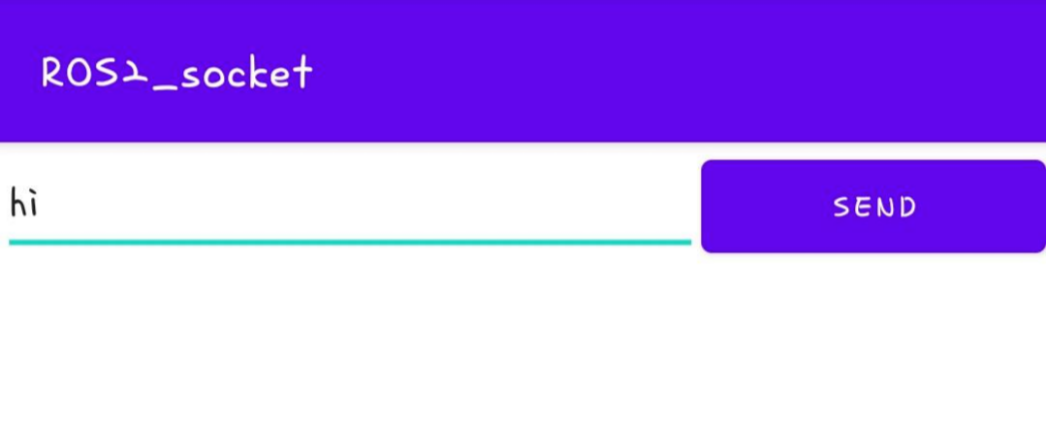
1) Android App에서 Socket 통신을 활용하여 ROS2 publisher (talker)에게 data를 보낸다.
2) publisher (talker)가 subscriber (listener)에게 ROS2를 통해 data를 보낸다.
Clonning the repository
cd $HOME
git clone https://github.com/mirellameelo/ROS_2_ANDROID.git
Building ROS 2 package
Open the terminal and source the ROS:
source /opt/ros/foxy/setup.bash

cd $HOME/ROS_2_ANDROID
colcon build --packages-select cpp_pubsub
// foxy : 설치된 ROS2 버전 입력
ROS 2 and Android communication
Step 1: runnning the Android application in your phone
- Open your Android Studio
- Open the project "my_places"
- Go to app->java->com.example.myplaces->MainActivity and CHANGE the IP to your computer IP (you can verify it when running ifconfig in the terminal)
- Run the application in your phone
// my_places App을 참고하여 용도에 맞게 Android App을 만들어 사용하면 된다.
* AndroidManifest.xml의 permission 주는 것을 잊지 말자!
<uses-permission android:name="android.permission.INTERNET"/>Step 2: runnning the talker and listener
Open two terminals and source the cpp_pubsub setup file in both.
source $HOME/ROS_2_ANDROID/install/setup.bashTerminal_1: Run the talker
#run the talker
ros2 run cpp_pubsub talker
The publisher now is waiting for data comming via Socket. Terminal_2: Run the listener
# run the listener
ros2 run cpp_pubsub listener
[ TEST ]


[출처]
https://github.com/mirellameelo/ROS_2_ANDROID
GitHub - mirellameelo/ROS_2_ANDROID: Publishing data from Android via ROS 2
Publishing data from Android via ROS 2. Contribute to mirellameelo/ROS_2_ANDROID development by creating an account on GitHub.
github.com
https://www.youtube.com/watch?v=Z-lVEcqZvuM